![[UI/UX] SaaS 平台產品設計|Turing Certs](/images/turing-certs/cover.webp)
SaaS Product Design — Turing Certs
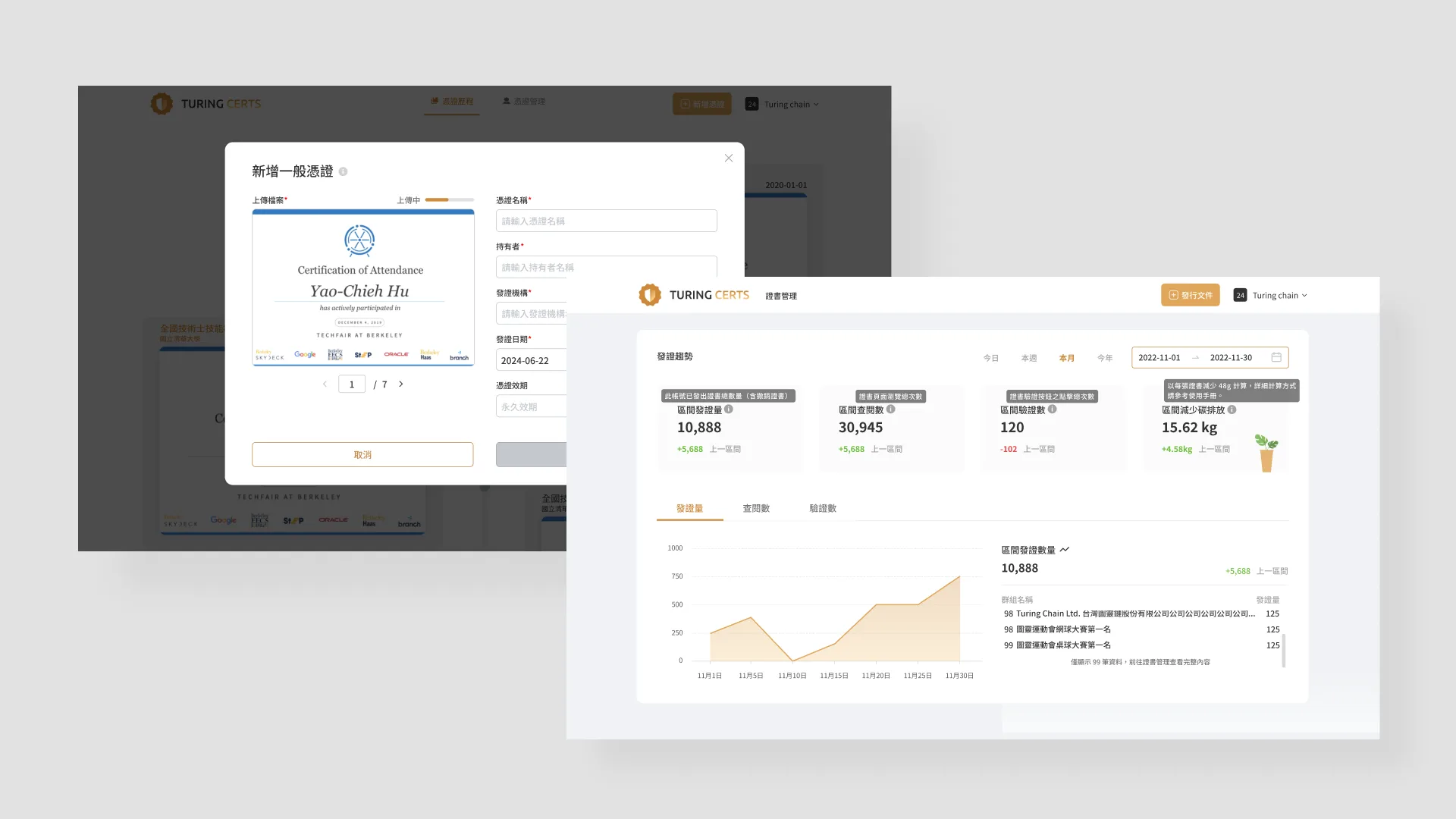
Turing Certs is a Web3-based digital credential platform that builds a secure and trustworthy digital ecosystem for both issuers (enterprises, schools, and institutions) and recipients (individual users). I led the UX design of the end-user self-upload feature — covering user flows, interface design, and tiered trust visuals — and collaborated with frontend and backend engineers through i18n integration and QA.
Impact
- 打造 C 端自主上傳流程,降低非技術用戶的操作門檻。
- 設計三層信任級別的差異化視覺,幫助用戶快速判讀憑證可信度。
- 參與從開發會議到 QA 的完整產品流程。
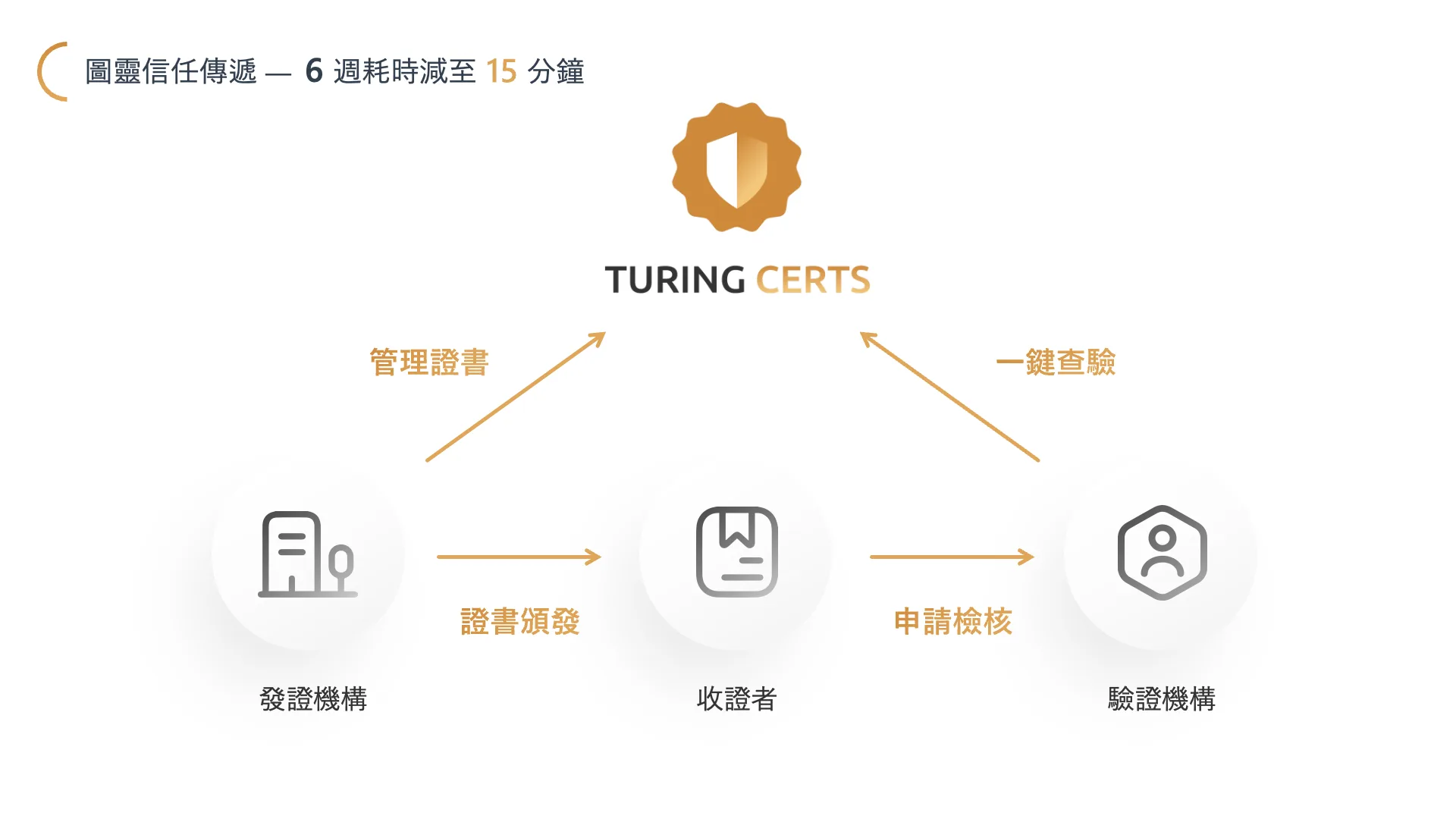
Turing Certs is a Web3-based digital credential platform that establishes a secure, trustworthy, and easily manageable digital trust ecosystem for credential issuers (CC) and credential holders (CO).
- For issuers (B2B): Organizations such as enterprises and educational institutions can easily issue tamper-proof, verifiable digital credentials to users through the platform.
- For holders (C2C): Individual users can receive, store, manage, and showcase digital credentials from various institutions on the platform.

My Role & Responsibilities
Responsible for collaborating with the Product Manager (PM) to define requirements and user flows, completing UI design, integrating i18n copy, and working alongside frontend and backend engineering teams throughout the full product development lifecycle — from development meetings to final QA testing.
Self-Upload Feature Design (Consumer Side)
In response to the growing demand for personal credential management and the company's OKR target of 300k credentials by 2025, I collaborated with the product team to plan and design an all-new "Self-Upload" feature.
From a business perspective, this feature also helps accelerate the accumulation of CO-side credential volume and data richness, providing more compelling market leverage and a stronger user base for future partnership negotiations with issuers and verifiers.
1. Streamlined Flow — Lowering the Upload Barrier for Users
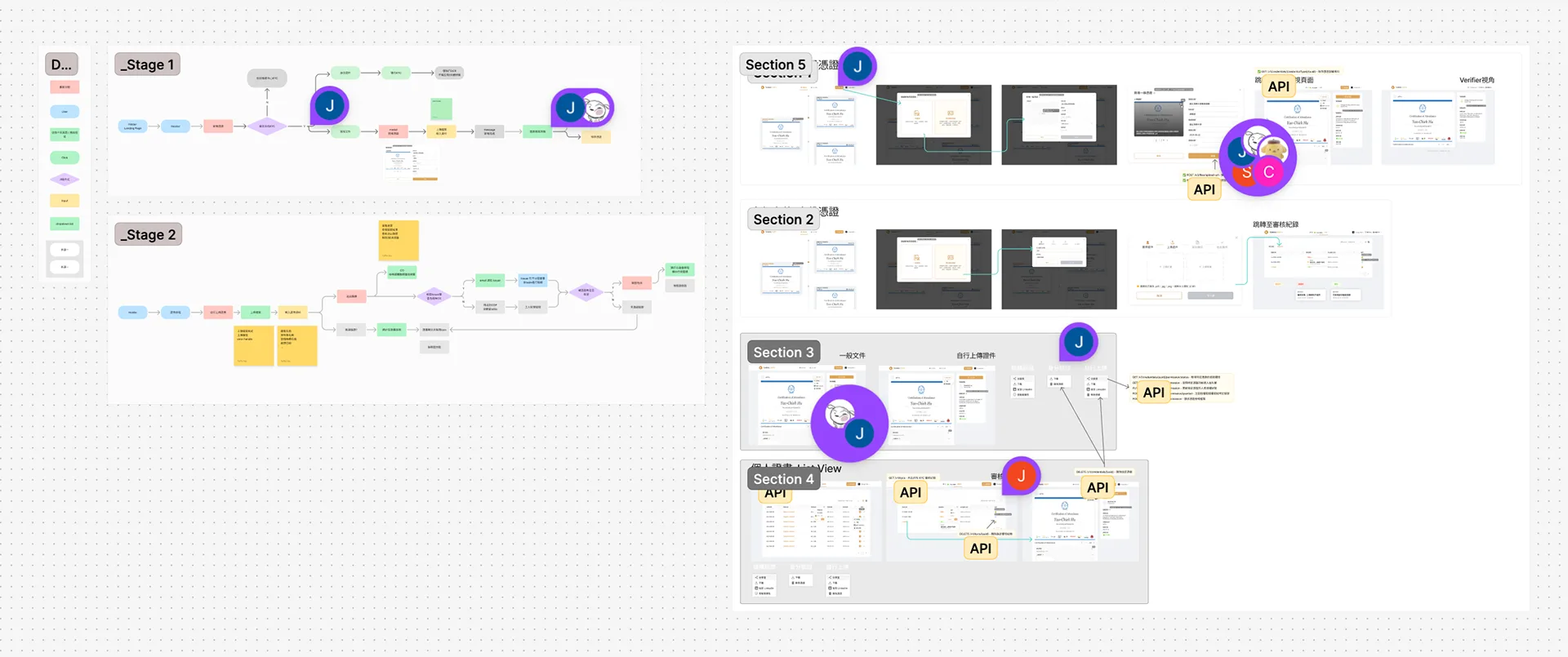
I worked with the PM to discuss and map out a new User Flow, simplifying the complexity of the upload process while providing guidance and real-time feedback at each step — enabling even non-technical users to complete the upload with ease.
2. Guided Categorization — Building a Clear Mental Model During Upload
To ensure all credentials are correctly categorized, I designed a guided categorization interface as the first step of the upload flow.
The goal was to help users quickly understand the differences between credential types before uploading, and to select the correct category for their documents.
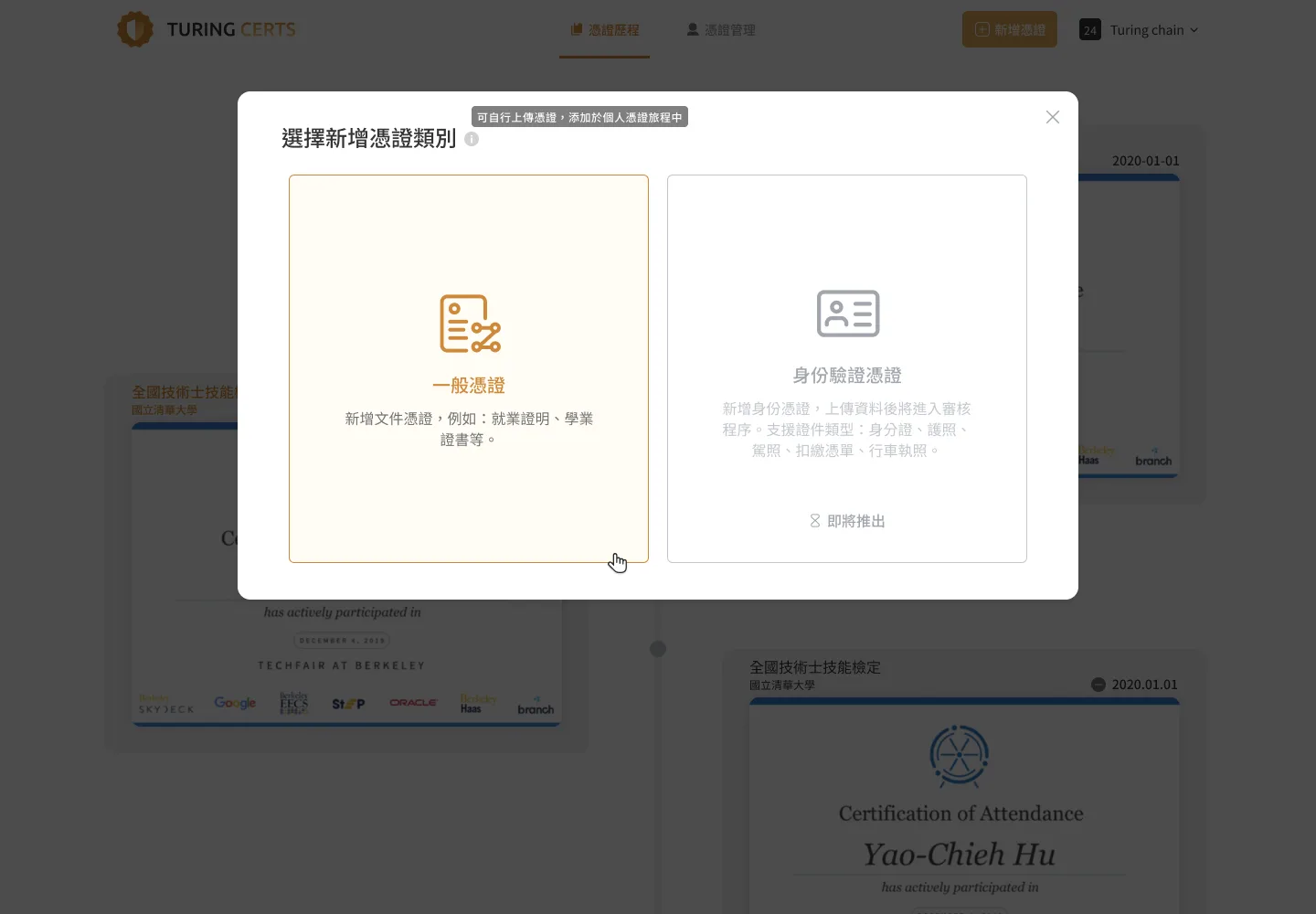
The interface provides two credential type options, each accompanied by a brief description:
- Identity Credentials — Credentials that require official identity verification (KYC), such as passports and national IDs. Design intent: clearly communicate the seriousness and high trust level of this category.
- Other Documents — Suitable for personal documents uploaded by the user, such as course completion certificates, internship letters, and award records. Design intent: use concrete examples to help users quickly determine whether their document belongs to this category.
3. Differentiated Visuals — Establishing Trust Levels in the Display View
Once credentials are uploaded, how do we distinguish between different trust levels on the credential display page? My solution was to implement differentiated visual design at the UI level.
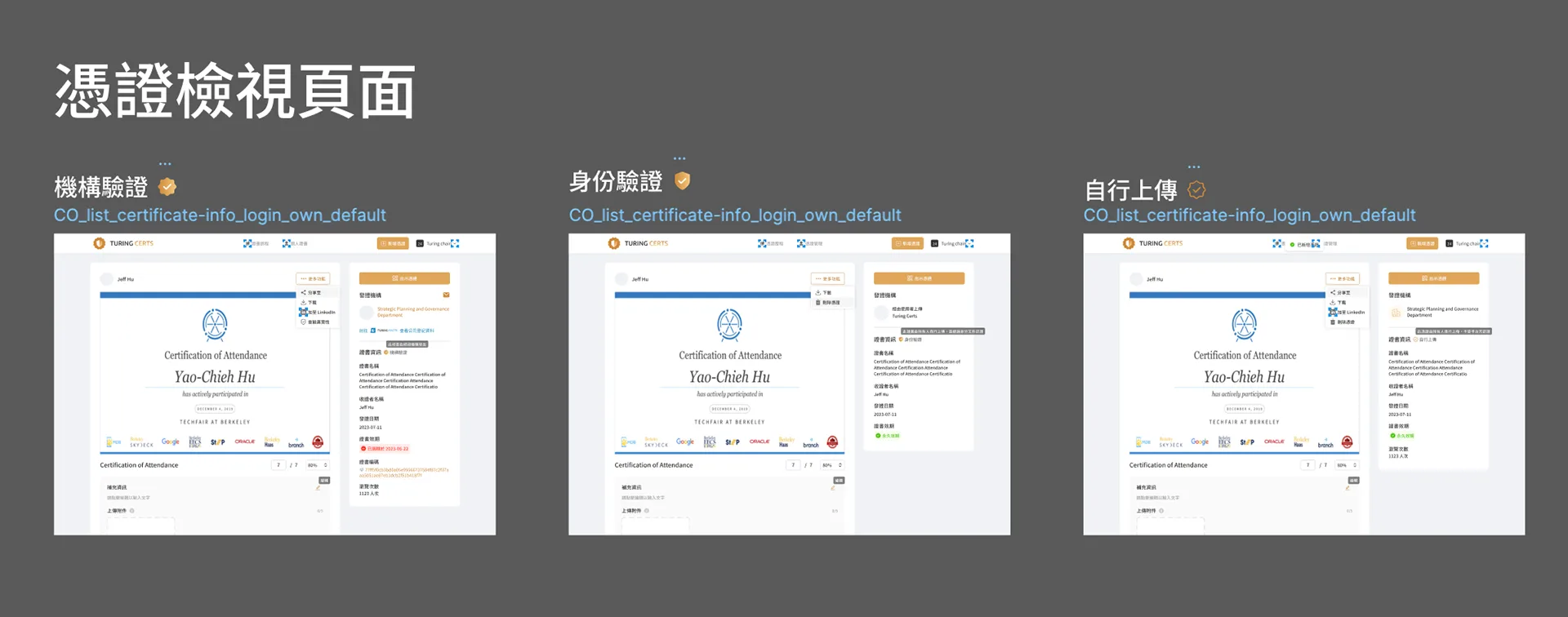
- Institution-Issued Credentials — Highest Trust Level: A solid badge featuring the Turing Certs logo serves as the identifier, representing the highest trust credentials verified by both the platform and the issuing institution — conveying authority and credibility.
- Identity-Verified Credentials — High Trust Level: For personal identity credentials verified through KYC, a shield-shaped icon was chosen. The shield is a universally recognized symbol of security and protection, immediately communicating that the credential has undergone official identity verification.
- User Self-Uploaded Credentials — Personal Label Level: The goal was to differentiate this category from institution-verified credentials without conveying a negative "unverified" impression. An outlined version of the Turing Certs logo was used — implying that the credential belongs to the Turing Certs ecosystem, but has not been officially verified and serves only as a personal label.